"My tasks"…
In Otilus, the My Tasks feature helps each user work more independently and quickly identify their priorities.
"My Tasks": a cross-project view of your work
In Otilus, tasks are organized inside projects (cards), which are themselves linked to departments or teams (boards). This structure makes it easy to understand a project’s content and priorities.
Identifying priorities beyond project structure
But how do you know where to start when several projects are progressing at the same time? How can you determine the execution order of the tasks assigned to you, across all cards and boards?
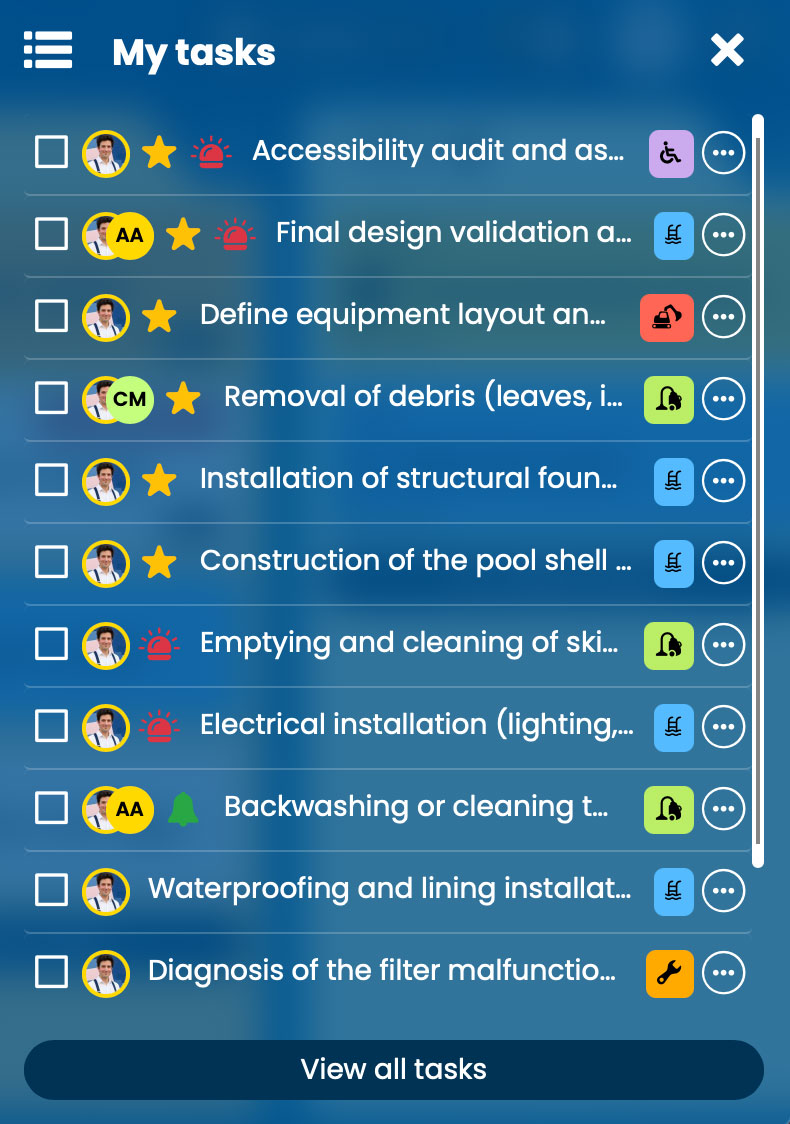
To do this, click the My Tasks button located in the top-left corner of the Otilus interface. This view automatically gathers the 30 tasks assigned to you that the system considers most important, based on their importance, urgency, and creation date.
This list ignores project structure, giving you a clear view of what you should work on first. You can check tasks directly from this interface, and they will automatically be updated in their original project.
To the right of each task, the action menu allows you to adjust priorities (importance, urgency, pause, notification…). Simple clicking the card icon also takes you directly to the related project.
At the bottom of the window, the View all tasks button opens a complete list showing every task assigned to you, with no limit.
All My Tasks: a complete view with advanced sorting
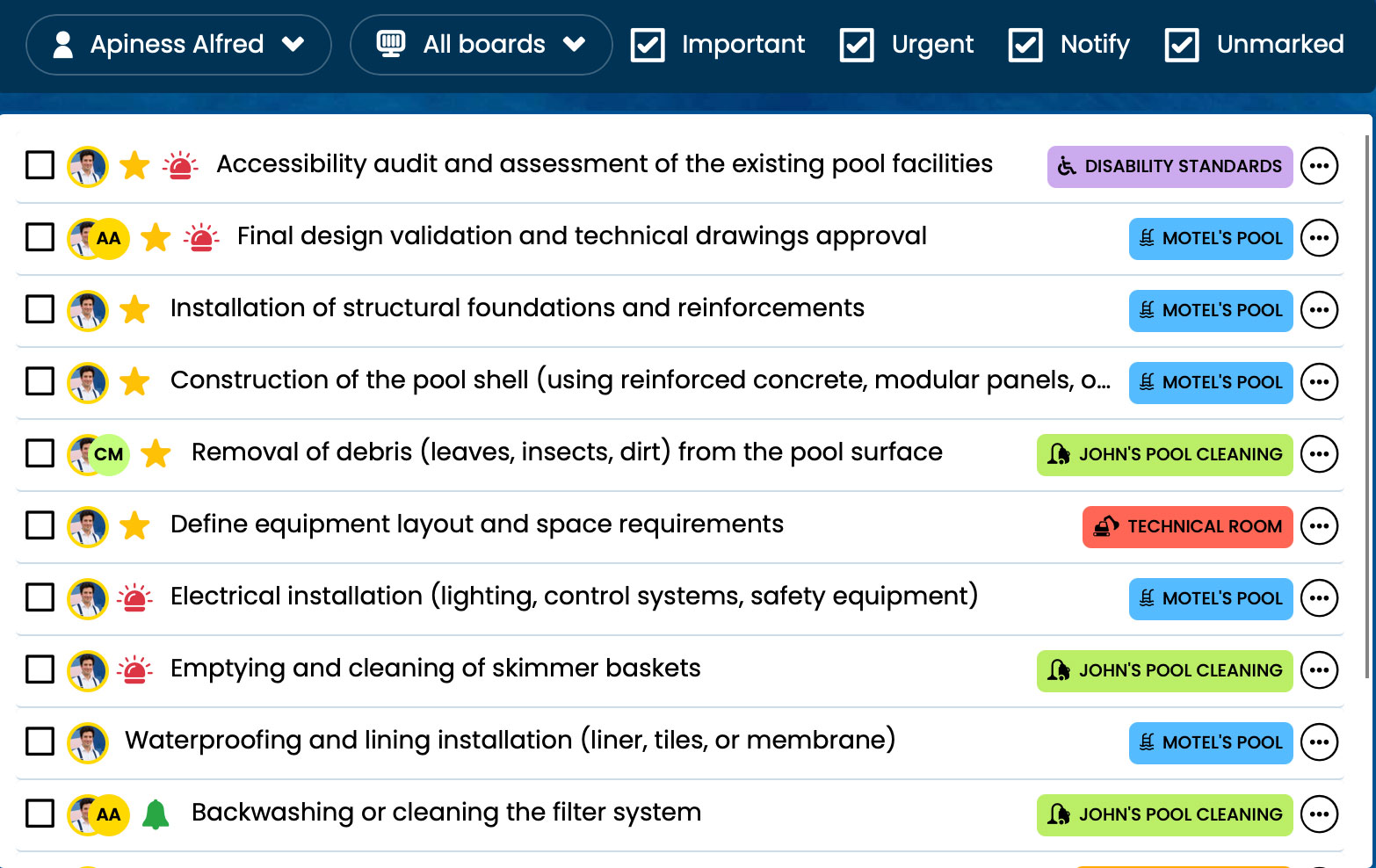
The All Tasks window follows the same principle as My Tasks, but also allows you to filter and sort tasks using multiple criteria: assignment, board, importance, urgency, or notifications.
It acts as a personal dashboard for organizing your work when multiple projects are moving forward simultaneously.