
Calendar synchronization
Otilus lets you track project deadlines and phases directly in your usual calendar. Thanks to ICS feeds, your important dates automatically appear in Google Calendar, Outlook, Apple Calendar, or any compatible scheduling tool.
Display Otilus deadlines in your calendar
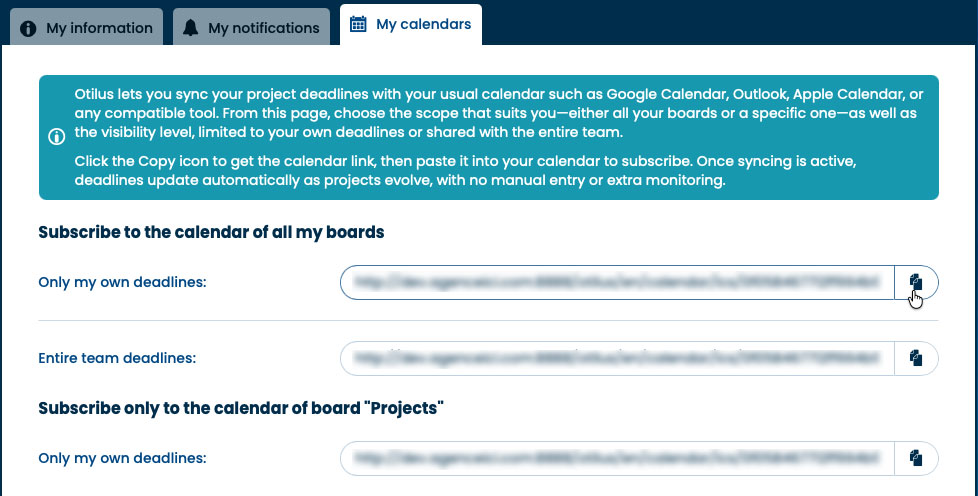
Get your Otilus calendar link

- Open the My account section in Otilus.
- Go to the My calendars tab.
- Select the desired board and recipient.
- Click the copy icon at the end of the row, the ICS feed URL is copied.
Add this calendar to your agenda
Once the URL is copied, simply add it to your digital calendar:
- Google Calendar / Outlook
- Open your calendar settings.
- Add a calendar using a URL.
- Paste the Otilus ICS feed address. Synchronization happens automatically.
- Apple Calendar
- Select Subscribe to Calendar in the options.
- Paste the Otilus ICS feed address.
Your Otilus deadlines are now visible in your usual calendar. Track your projects in the same place as your meetings, with no duplicate entry.
