
Automated Scenarios
In a company, processes often repeat themselves: sending a document, notifying a team, launching a series of actions… Without automation, these tasks can quickly lead to omissions, errors, or wasted time. Otilus simplifies all of this with scenarios, which automate actions for you at the right time.
What is a scenario?
A scenario in Otilus is a set of automatic actions triggered when a card reaches a specific stage of a project.
In practical terms, when a card is moved into a given column, Otilus can automatically trigger the right actions based on the card type and the project phase.
Scenarios are defined in advance by the team manager from the configuration area, ensuring that each process runs correctly for all users.
Scenario actions: a practical example
Automatic task creation
When a manager creates a scenario, they define its behavior. For example, Otilus can automatically add tasks when a card of a certain type reaches a specific column in a board.
Example: all “Quote” or “Invoice” type cards automatically create the task “Send the document to the client by email” for the administrative team when they move to the “Final writing” column, and much more…
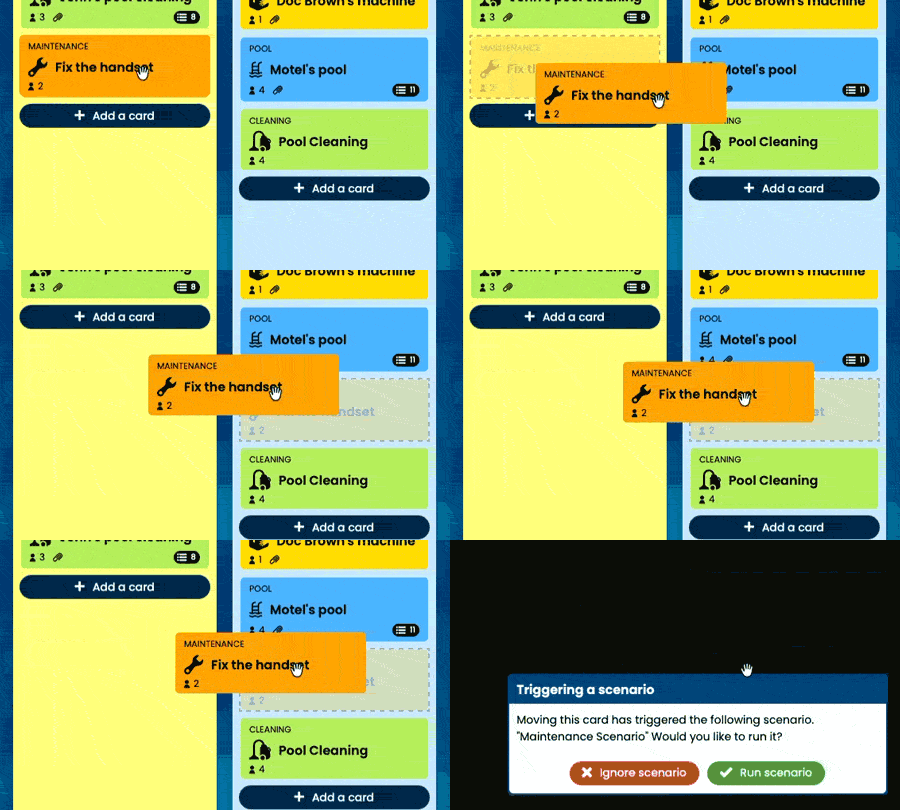
Once the scenario has been configured by the manager, using it is very simple: you just move the card to the right place.
Otilus then displays a message offering to run the scenario. You confirm… and the actions are launched automatically.
If you ignore the scenario, simply move the card into the column again to trigger it once more…
What scenarios can do
- Create, assign, and prioritize tasks: a scenario can create tabs or lists in which tasks are automatically generated based on the context, such as the card type and column. These new tasks can be assigned to one or more team members and marked as Urgent, Important, or both.
- Automatically move cards: a scenario can transfer a card to another board, for example to a quality control or final approval area.
- Multi-team coordination: several scenarios can be chained together to structure a complete process, without repeated manual intervention.
Create your own scenarios
Scenarios are fully customizable, but creating and editing them is reserved for managers to ensure process consistency.
When properly configured, they allow you to:
- Automate repetitive tasks and reduce omissions
- Ensure internal procedures are followed
- Adapt Otilus to your real organization, not the other way around
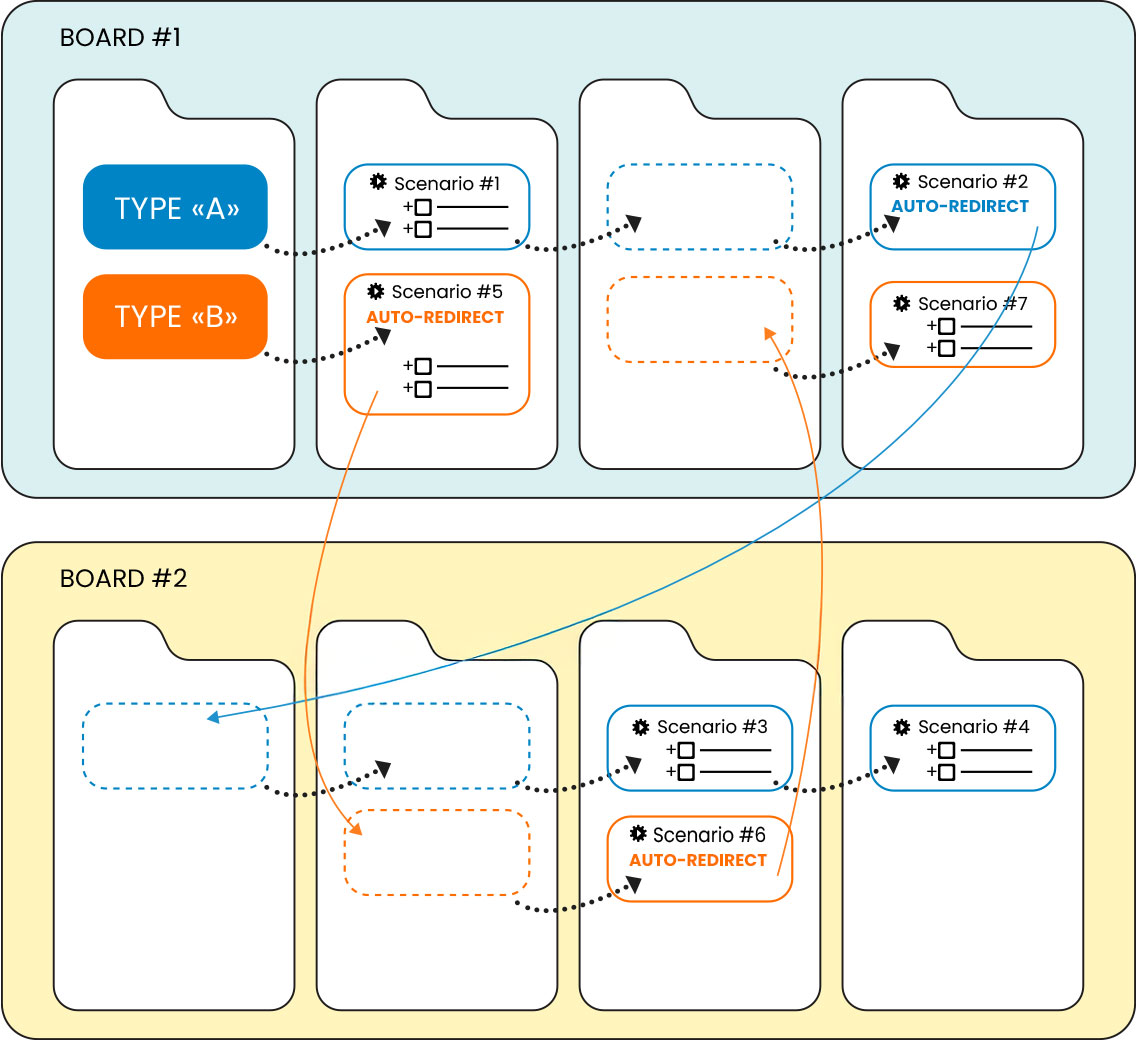
With scenarios, Otilus does more than organize your projects: it helps you run your processes. Fewer omissions, less micro-management, and smoother teamwork.