
Phases and deadlines
What is a deadline or a phase?
In Otilus, a deadline sets a due date for a project, while a phase represents an important milestone to reach during its progress.
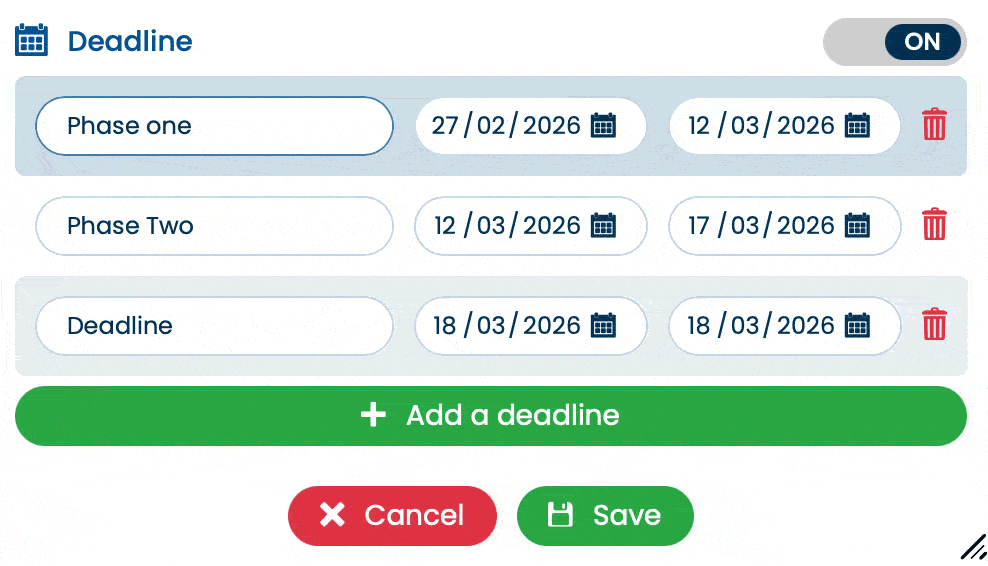
To add a deadline when creating or editing a card, simply switch the “Due date” option to YES. A panel then appears allowing you to define:
- the phase name,
- a start date,
- an end date.
By default, the start date is prefilled with today’s date to save you time.
As soon as an end date is defined, Otilus automatically creates a visible deadline on the card. It appears as a colored indicator:
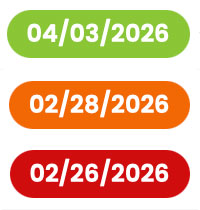
- Green: everything is on track,
- Orange: the deadline is approaching (3 days remaining),
- Red: the deadline has passed.
When the project enters its final 3 days, Otilus can send a daily notification to help you anticipate.
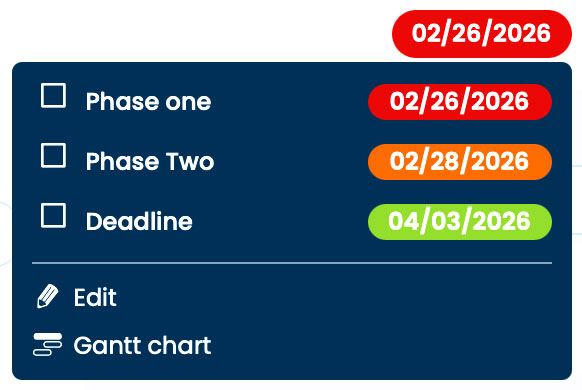
Each deadline automatically generates a Gantt chart. You can open it:
- by clicking the deadline indicator on the card,
- or directly from the main Otilus menu.
From the same menu, you can also mark the deadline as reached. The indicator then disappears from the card: the project continues, but this step is validated.
You can add multiple phases to a project using the “+ Add a deadline” button. Each phase corresponds to a key step (e.g. quote, production, client approval…).
As the project progresses:
- phases can be rescheduled,
- validated one by one,
- and the time indicator automatically updates to the next deadline.
The Gantt chart reflects these changes in real time, giving you a clear view of the project.
A closer look at the Gantt chart
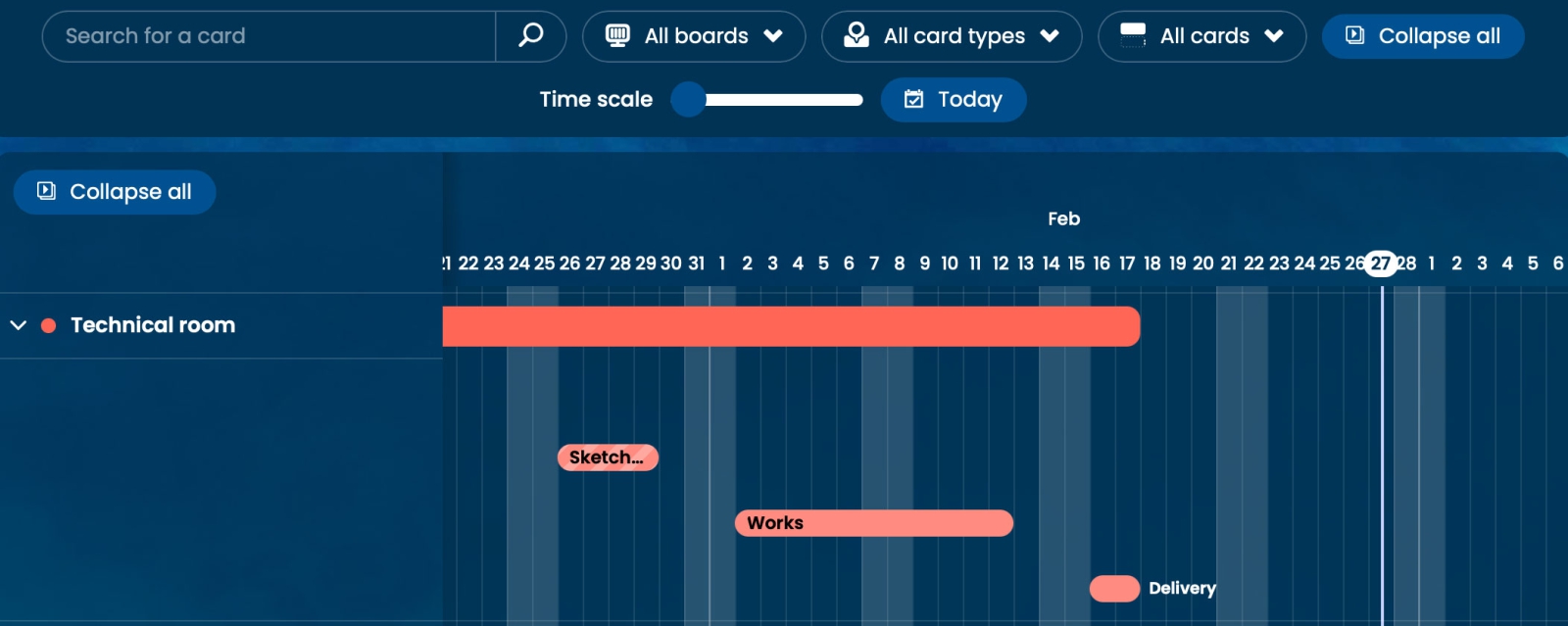
The Gantt chart displays the entire project on a main line, as well as each phase on separate lines.
- A colored phase indicates it has been completed.
- The hatched line shows the overall project progress.
By clicking on a line, you access the card details. By clicking on the displayed card, it opens directly.
Sorting options at the top of the interface allow you to display projects according to their boards or teams.
Sharing your Gantt chart with an external partner
You can share a Gantt chart with a client or partner without creating an Otilus account for them.
Click “Share”, copy the unique link, and send it. The recipient will be able to view the schedule, but will not have access to tasks or internal project information.

This feature is ideal for sharing a timeline or informing a client of project progress in real time, without exposing your internal organization.
Phases and calendar synchronization
If you have enabled calendar synchronization, each phase deadline automatically appears in your daily schedule.
This way, you can visualize your objectives directly in your calendar, with no re-entry or risk of forgetting them.